🎮 Street Fighter Game Download For Windows: The Ultimate Installation & Optimization Guide
Last Updated:Ready to throw down on your Windows PC? This comprehensive guide covers everything from downloading the latest Street Fighter titles to tweaking settings for peak performance. Whether you're a newcomer or a seasoned warrior, we've got the insider knowledge you need.
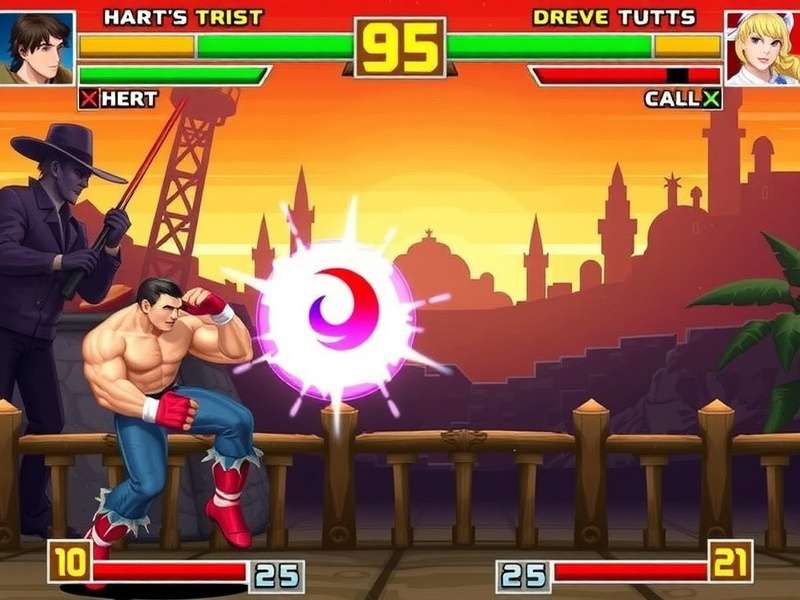
🏆 Why Street Fighter on Windows is the Definitive Experience
For decades, the Street Fighter franchise has defined the fighting game genre. While arcades and consoles have their charm, playing on Windows offers unparalleled advantages: higher frame rates, modding potential, superior online infrastructure via services like Steam, and the ability to use your favorite fight stick or controller with minimal latency. The PC platform has become a tournament-standard environment for serious competitors.
💎 Pro Tip: Windows 10 and 11 offer DirectX 12 Ultimate support, which can significantly boost visual fidelity and performance in Street Fighter 6's RE ENGINE. Ensure your GPU drivers are up-to-date for the best experience.
📥 Official Sources for Your Street Fighter Download
To avoid malware and ensure you get the legitimate game with access to online features and updates, always download from official storefronts. The primary platforms are:
- Steam: The largest PC gaming platform. Purchasing here gives you access to the Steam Workshop for mods and seamless updates.
- Epic Games Store: Occasionally offers exclusive deals or early access periods for Capcom titles.
- Microsoft Store: For those who prefer integration with the Xbox ecosystem and Play Anywhere titles.
Be wary of third‑party "free download" sites—they often bundle unwanted software or, worse, contain viruses that can compromise your system.
⚙️ System Requirements: From Minimum to "Butter Smooth"
Street Fighter 6 (2023) - Recommended Specs for 60 FPS
To truly enjoy the fluid animations and reactive online play, aim for these specs:
- OS: Windows 10/11 64‑bit
- CPU: Intel Core i7‑8700 or AMD Ryzen 5 3600
- RAM: 16 GB DDR4
- GPU: NVIDIA GeForce RTX 2070 or AMD Radeon RX 5700 XT (8 GB VRAM)
- Storage: 60 GB available space (SSD highly recommended)
Meeting these ensures stable 60 FPS at 1080p with high settings, which is crucial for competitive fairness. Frame drops can mean the difference between landing a perfect parry and eating a Critical Art.
🔗 Deep Dive: The Evolution of Street Fighter on PC
Understanding the series' history on Windows enriches your appreciation. Did you know the first official PC port was Street Fighter II': Special Champion Edition in the mid‑90s? It was a bare‑bones conversion by a third‑party studio. Today, Capcom develops PC versions in‑house, ensuring parity with consoles. For a detailed timeline, check out our guide on Street Fighter Games In Chronological Order.
Each iteration brought technical leaps. Street Fighter IV (2008) introduced the modern PC fighting game era with robust online play via GFWL (later migrated to Steam). Street Fighter V faced initial criticism for its lack of single‑player content but evolved into a fantastic title with cross‑play between PS4 and PC—a groundbreaking feature. Street Fighter 6 now sets the gold standard with rollback netcode, breathtaking visuals, and the vibrant World Tour mode.
🎯 Performance Tweaks & Graphics Optimization
Even with a powerful rig, fine‑tuning can eliminate stutters. Inside the game's graphics settings, prioritize the following:
- VSync: Disable it. Use NVIDIA G‑Sync/AMD FreeSync if your monitor supports it to prevent tearing without added input lag.
- Shadow Quality: A high‑impact setting. Medium often looks nearly identical to Ultra but saves significant GPU resources.
- Post‑Processing: Can soften the image. Many pros set this to Low or Medium for cleaner visuals.
- Background Effects: In busy stages like Metro City, reducing this can help maintain a rock‑solid 60 FPS during supers.
For advanced users, editing the engine .ini files (found in `%LOCALAPPDATA%StreetFighter6`) can unlock further tweaks, but always back up first.
🤝 Community & Competitive Play on Windows
The PC Street Fighter community is incredibly active. Platforms like Discord host countless region‑specific servers for finding matches, sharing tech, and organizing online tournaments. The modding scene is also vibrant—from cosmetic costume swaps to training‑mode overlays that display frame data in real‑time.
If you're aiming to climb the ranks, understanding the current meta is key. Our constantly updated Street Fighter Game Tier List breaks down character strengths, weaknesses, and matchups based on high‑level tournament data and online statistics.
💬 Player Interviews: Why They Chose Windows
We spoke with several top‑ranked players about their platform of choice. "The ability to use a 240Hz monitor with near‑zero input latency is a game‑changer," says 'DaigoUmeharaFan93', a Master‑rank Ryu player. "On PC, I can also stream at a higher quality without affecting gameplay thanks to NVENC encoding." Another player, 'JuriMain4Life', praises the modding community: "I have custom color palettes for my Juri that make her outfits pop. It's a small thing, but it makes the game feel more personal."
For those who enjoy crossover content, the passion project Mega Man X Street Fighter Game Download showcases the creativity of the fanbase, blending two iconic Capcom universes.
❓ Frequently Asked Questions (FAQ)
Can I transfer my save data from PlayStation to Windows?
Currently, there is no official cross‑save functionality between PlayStation and PC versions of Street Fighter 6. Your progression and unlocked items are tied to the platform account (Steam/Epic or PSN).
Is an internet connection required to play?
For the initial activation and downloading updates, yes. However, most Street Fighter titles allow full offline play for Arcade, Training, and Versus modes once installed. World Tour mode in SF6 is also fully playable offline.
What's the best controller for Street Fighter on PC?
It's personal preference. Fight sticks (like those from Qanba or Hori), hitboxes (all‑button controllers), and even high‑quality gamepads (DualSense, Xbox Series X|S controller) are all excellent choices. The key is finding what feels most comfortable for executing motion inputs consistently.
For fans of the classic feel, revisiting the Classic Street Fighter Games offers a nostalgic look at the control schemes that started it all.
🚀 Looking Ahead: The Future of Street Fighter on PC
With the success of Street Fighter 6, Capcom's commitment to the PC platform is stronger than ever. We expect continued support with seasonal DLC characters, balance patches, and potentially even exclusive features. The rumored Street Fighter Game Ps5 and PC cross‑play enhancements could further unify the player base. Meanwhile, for those seeking a quick fix without installation, our article on Street Fighter Games Online Free Play No Download Pc covers browser‑based alternatives.
Mobile gamers aren't left out either—check our guide for the Street Fighter Game Download Apk for on‑the‑go action. And for trivia enthusiasts, uncover the story behind the mysterious Marvin Street Fighter character reference.
In conclusion, downloading and playing Street Fighter on Windows provides the most flexible, high‑performance, and community‑rich experience available. By following this guide, you're not just installing a game—you're stepping into a decades‑old legacy of competitive fighting. Now power up your PC, choose your fighter, and let the next battle begin!